How to Collect Client Documents in WordPress (Free and Pro Options)
If you're an accountant, lawyer, immigration consultant or mortgage broker with a WordPress website, you can collect client documents securely without email attachments or a monthly portal subscription. Here's how the options compare, and how to set it up in about ten minutes.
The quick answer
The best way to accept client documents in WordPress is a document request plugin: you send each client a checklist and a private upload link, they upload from their phone without creating an account, and you review every file inside WordPress. Files stay on your own server.
DocsInOrder does this for free. DocsInOrder Pro adds automatic reminders and team features for busy seasons.
What a good document collection setup needs
Whatever tool you use, these are the things that save you time and protect your clients:
- A checklist per client. Clients should see exactly which documents you need, and which are still missing.
- No client accounts. Every password you ask a client to create is a reason for them to put it off. A private link is enough.
- Phone-friendly upload. Most clients will take photos of their documents. Uploading from a phone has to be easy.
- Private storage. Tax slips, IDs and bank statements shouldn't sit in email inboxes or in a public folder.
- Review item by item. You need to approve each document, or ask for a better copy with a note.
- Reminders. Chasing is most of the work. Reminders should list exactly what is missing.
Your options in WordPress, compared
Here are the usual ways firms collect documents with a WordPress website:
| Option | Client account needed | Checklist and what's missing | Review each file | Where files live |
|---|---|---|---|---|
| Email attachments | No | No | No | Everyone's inboxes |
| Contact form with a file upload field | No | No | No | Usually your uploads folder |
| Client portal or membership plugin | Yes | Sometimes | Sometimes | Your site |
| Hosted client portal service | Often | Yes | Yes | The provider's servers |
| DocsInOrder (document request plugin) | No | Yes | Yes | Your own site, in private storage |
Email attachments
Free and familiar, but documents end up spread across threads, attachment size limits get in the way, and sensitive files stay in inboxes for years. You also have to track what's missing yourself.
A form plugin's file upload field
Form plugins such as Gravity Forms or WPForms can accept file uploads, which works well for one-off submissions. For collecting several specific documents from each client it gets awkward: there's no per-client checklist, no way to approve or reject one file, and uploads are usually saved in your site's uploads folder, so check how your form plugin protects them from direct links.
Client portal or membership plugins
Portals are built for ongoing access: clients log in to a dashboard. That's powerful, but it means usernames and passwords for every client, which slows down document collection.
Hosted client portal services
Dedicated portals work well, but they usually charge per user each month and keep your clients' files on their servers rather than on your own site.
A document request plugin
A plugin like DocsInOrder is built for exactly this job: a checklist per client, a private link, phone uploads, and item-by-item review inside WordPress, with files stored on your own server.
Step by step: collect documents with the free plugin
1. Install DocsInOrder
Download the free plugin, then in WordPress go to Plugins → Add New Plugin → Upload Plugin, choose the zip and click Activate. DocsInOrder appears in your WordPress menu.
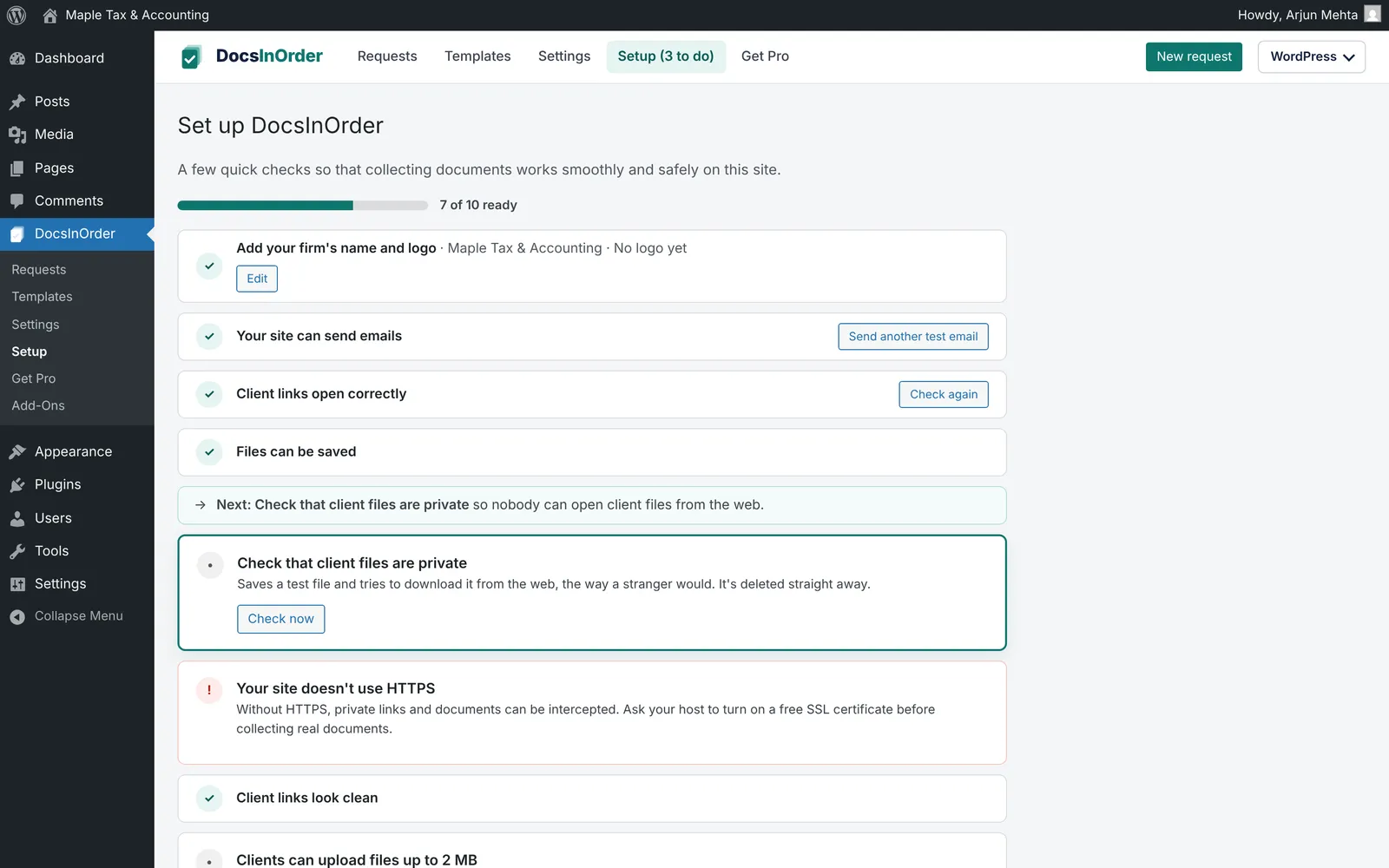
2. Follow the setup
Add your firm name and logo (shown to clients), send yourself a test email, and let the setup screen check that client files are stored privately. The same checks appear under Tools → Site Health.
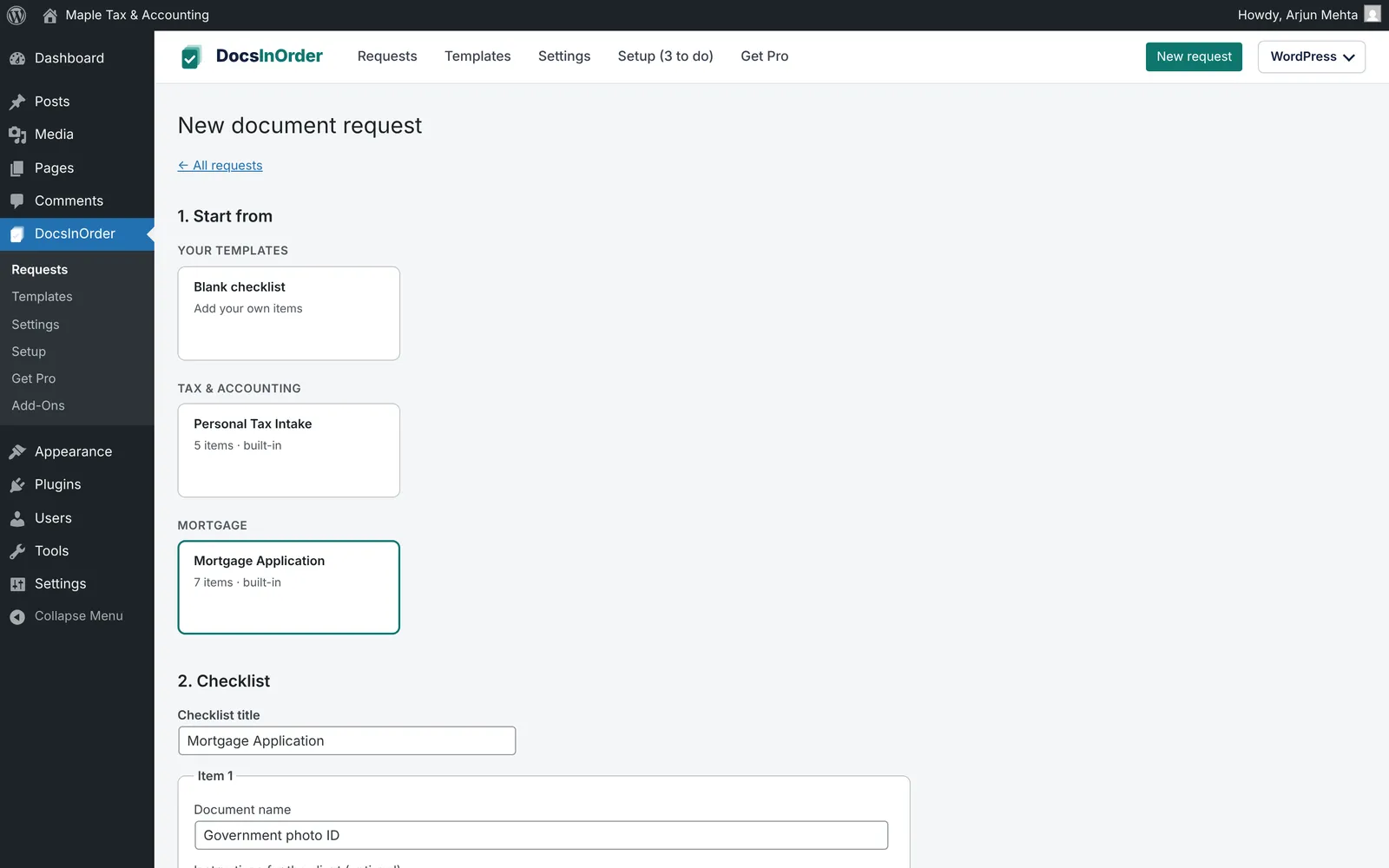
3. Create a request from a template
Go to DocsInOrder → Requests → New request. Start from the built-in personal tax or mortgage template, or a blank checklist. Mark items required or optional, add short instructions, and choose a due date.
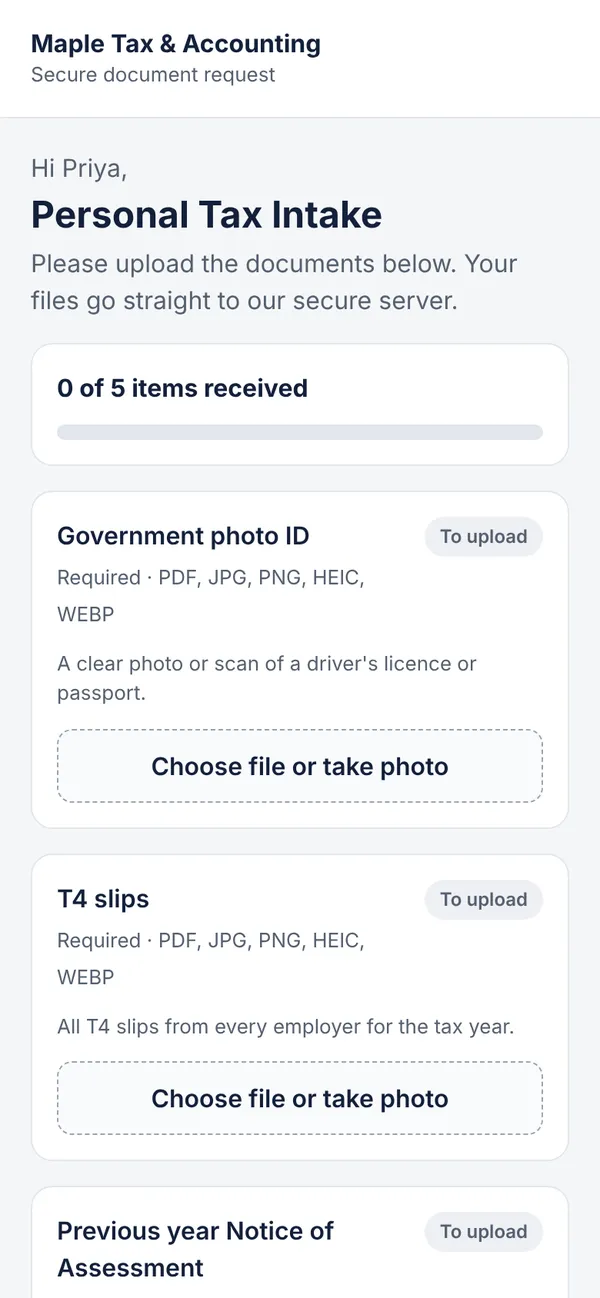
4. Your client uploads from their phone
With Email the link to the client now ticked, your client gets an email with a private link. They see your firm name, a progress bar and one upload button per document. No account, no password.
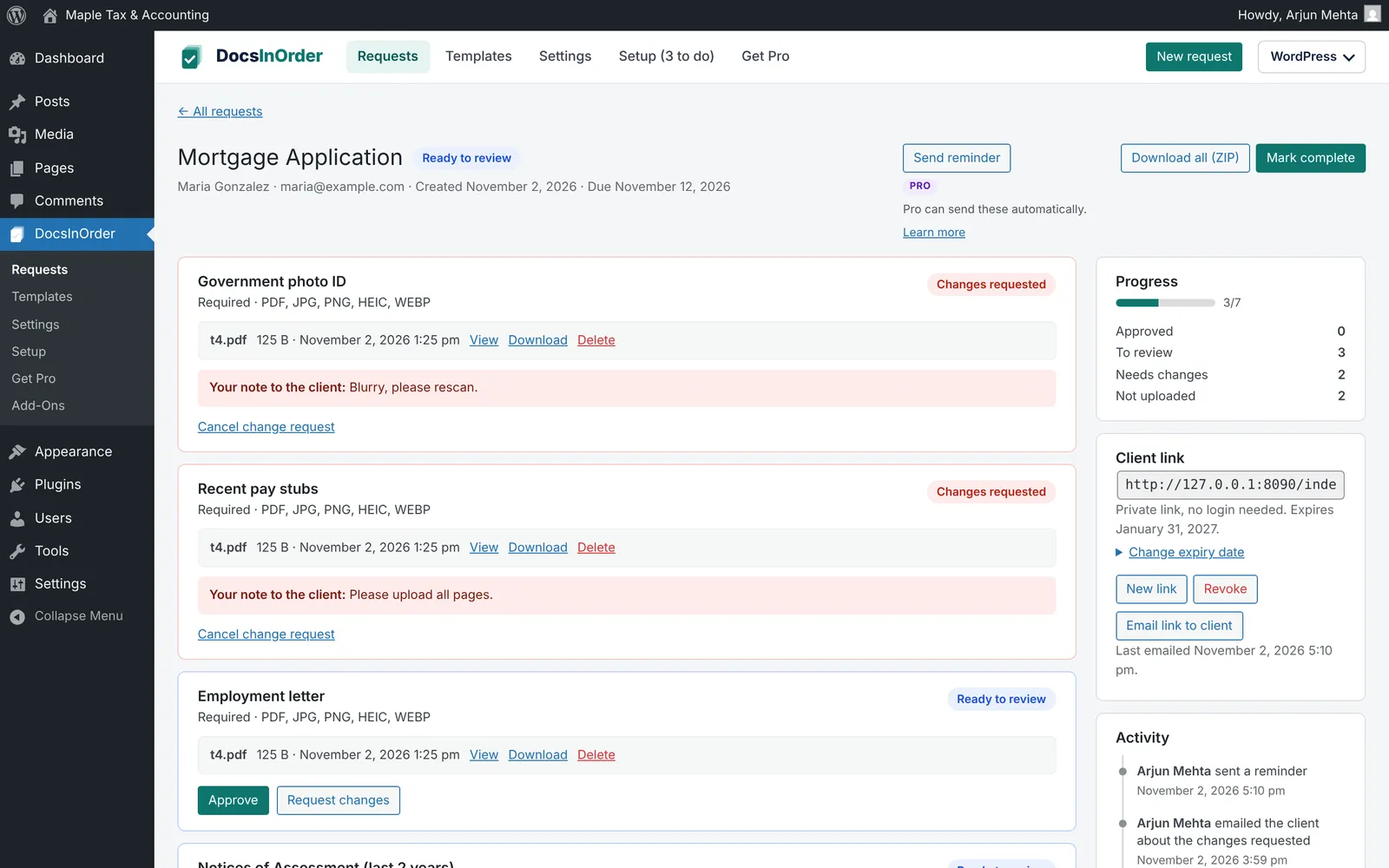
5. Review each document
Open the request in WordPress. Approve each document, or click Request changes and add a note, such as "Blurry, please rescan." The client sees your note on that item with an Upload again button. Use Send reminder to email the list of what's still missing, and Download all (ZIP) when the request is complete.
Automate the chasing with DocsInOrder Pro
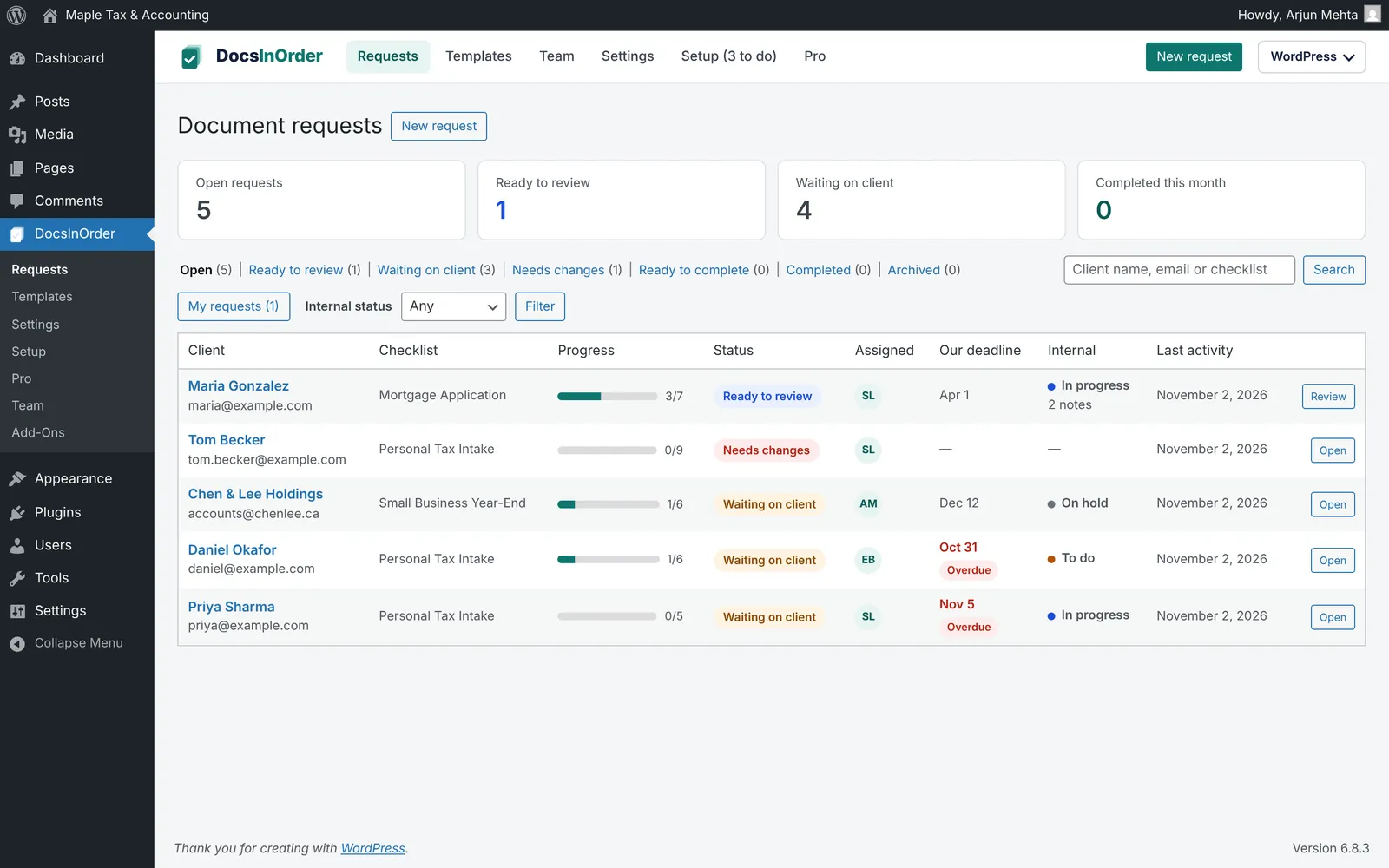
The free plugin covers the whole process. If you collect documents from many clients at once, DocsInOrder Pro takes over the follow-up:
- Automatic reminders until everything is in, then they stop by themselves.
- Change requests emailed instantly when you ask for a better copy.
- Upload notifications for your team: per client visit, when a request is complete, or once a day.
- Our work: assigned to, your own deadline, internal status and private notes your clients never see.
- Manager and Employee levels, and branded emails with your logo and colour.
Pro is $99 USD a year for one site, with a 14-day free trial and no card needed.
Security checklist for client documents in WordPress
- Use HTTPS on the whole site, so links and uploads are encrypted in transit.
- Store files outside the public uploads folder, and block direct web access to them.
- Use private links that expire, and revoke a link if it was sent to the wrong person.
- Check file types by content, not just by the file name.
- Give staff only the access they need. Customer and subscriber accounts should never see client files.
- Send email through SMTP so request and reminder emails actually arrive.
- Back up your site, including the document storage folder, and delete requests you no longer need.
DocsInOrder handles the first five for you. See how DocsInOrder protects client documents.
Free checklist templates to start with
Not sure what to ask for? Use our free lists, then turn them into DocsInOrder templates:
Firm-specific guides: accountants, law firms, immigration consultants and mortgage brokers.